

Connectors
The Connectors page
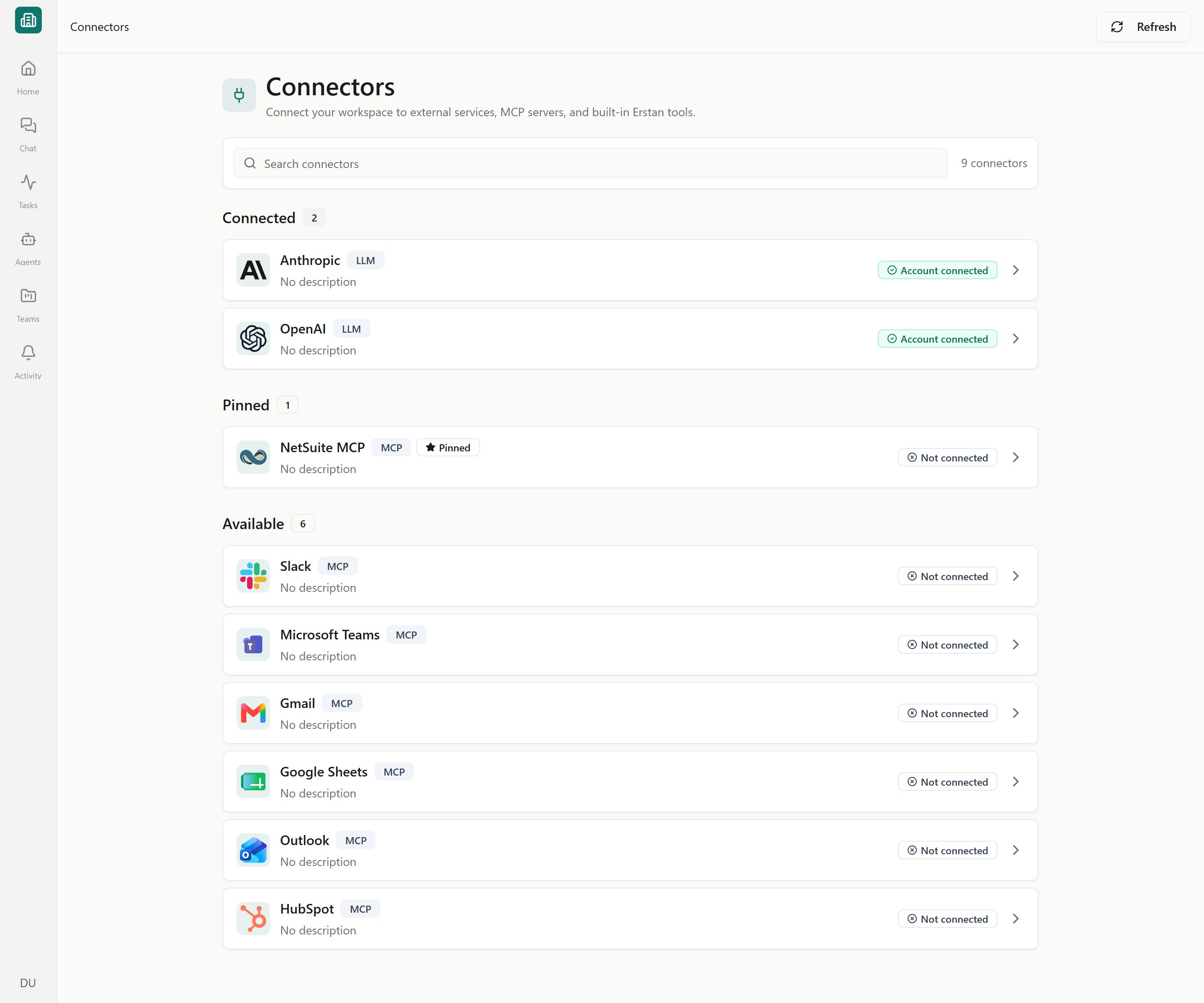
Open Connectors from your profile menu to see everything available to you. Connectors are grouped into three sections:- Connected — links that are set up and working.
- Pinned — connectors surfaced for quick access. NetSuite is pinned here until you connect it.
- Available — everything you can still add.
The page is called Connectors. An older
/integrations link redirects here.Connector types
NetSuite
The flagship connector. Agents query and update your NetSuite records using your own NetSuite role and permissions.
AI providers
Models power Chat and Agents through managed AI access or a supported customer API key, depending on your workspace’s available access modes.
Slack & business apps
Connect Slack and popular apps like Gmail, Google Sheets, Microsoft Teams, Outlook, and HubSpot so agents act where your team already works.
MCP servers
Model Context Protocol endpoints expose additional tools that agents can call.
Built-in Erstan tools
Ship with Erstan, marked Built in with No setup required — they have only a Tools tab. See Tools by Erstan.
Connection statuses
A connector’s badge tells you whether agents can use it right now.How a connection works
NetSuite uses a two-stage model that keeps each person acting under their own permissions:1
An owner or admin sets up the workspace connection
This shared Workspace OAuth connection is configured once for the whole workspace.
2
Each member authorizes their own NetSuite user
Agents then call NetSuite tools as you, governed by your own NetSuite role. See Authorizing your NetSuite user.
Next steps
Connecting NetSuite
Link your NetSuite account with the Erstan app or your own integration record.
AI providers and models
Review AI access modes and choose which models Agents can use.
Slack and other connectors
Add Slack, business apps (Gmail, Sheets, Teams, Outlook, HubSpot), MCP servers, and built-in tools.
Connection troubleshooting
Resolve expired auth, unhealthy connections, and re-authentication.