

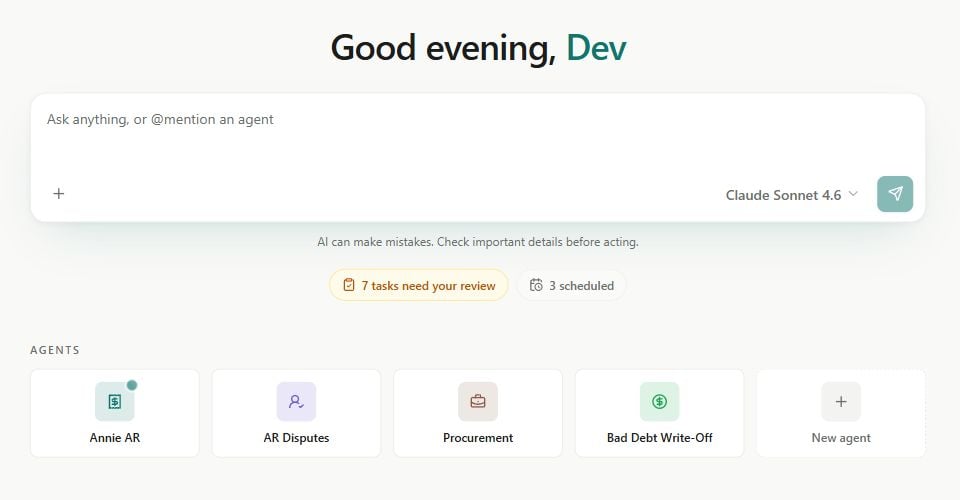
Home: start a conversation, review work, and open your Agents. Sample workspace shown.
Where to start
Quickstart
Open your workspace, check AI access, and ask your first question.
Apps
Build and use dashboards, review queues, and tools for your team.
Agents
Create an Assistant, Workforce, or Automation for repeatable work.
Solution Library
Start with ready-made Agents, Skills, prompts, and App templates.
Connect NetSuite
Connect your account and authorize your own NetSuite role.
Data Sources
Prepare reusable reads for Apps and Agents.
What you can do with Erstan
- Ask and investigate. Chat about overdue invoices, vendor bills, sales orders, or SuiteQL results, and inspect the supporting data.
- Build an App. Turn a recurring job into an interactive collections desk, supplier dashboard, or review queue with Apps.
- Automate a process. Give an Agent instructions, Skills, tools, and a trigger. Follow its runs and any linked Tasks.
- Keep useful outputs. Find Apps, Documents, Sheets, Databases, and Files in Artifacts.
- Review actions. Inspect proposed changes and respond to approvals when the applicable policy requires them.
How the pieces fit
Connectors provide access to systems. Data Sources make reads reusable. Agents use instructions, Skills, and tools to do work. Apps give that work an interface, while Tasks track assigned work and review. Teams organise people and content inside a workspace. See Core concepts for the details, or A tour of Erstan to find each area in the interface.The big idea
Start with the outcome you need, then give Erstan the data and access required to produce it. You can begin with a conversation and develop it into a reusable Agent, App, or report.NetSuite operations use the authorized user’s role and permissions. Write-capable actions require approval by default, subject to the configured tool policy and auto-approval settings. Sharing an App or Data Source does not share the author’s credentials. See Security and write safety.
Next steps
What's new in Erstan
Browse release updates and improvements.
Developer API
Run published Agents and connect your own systems.