

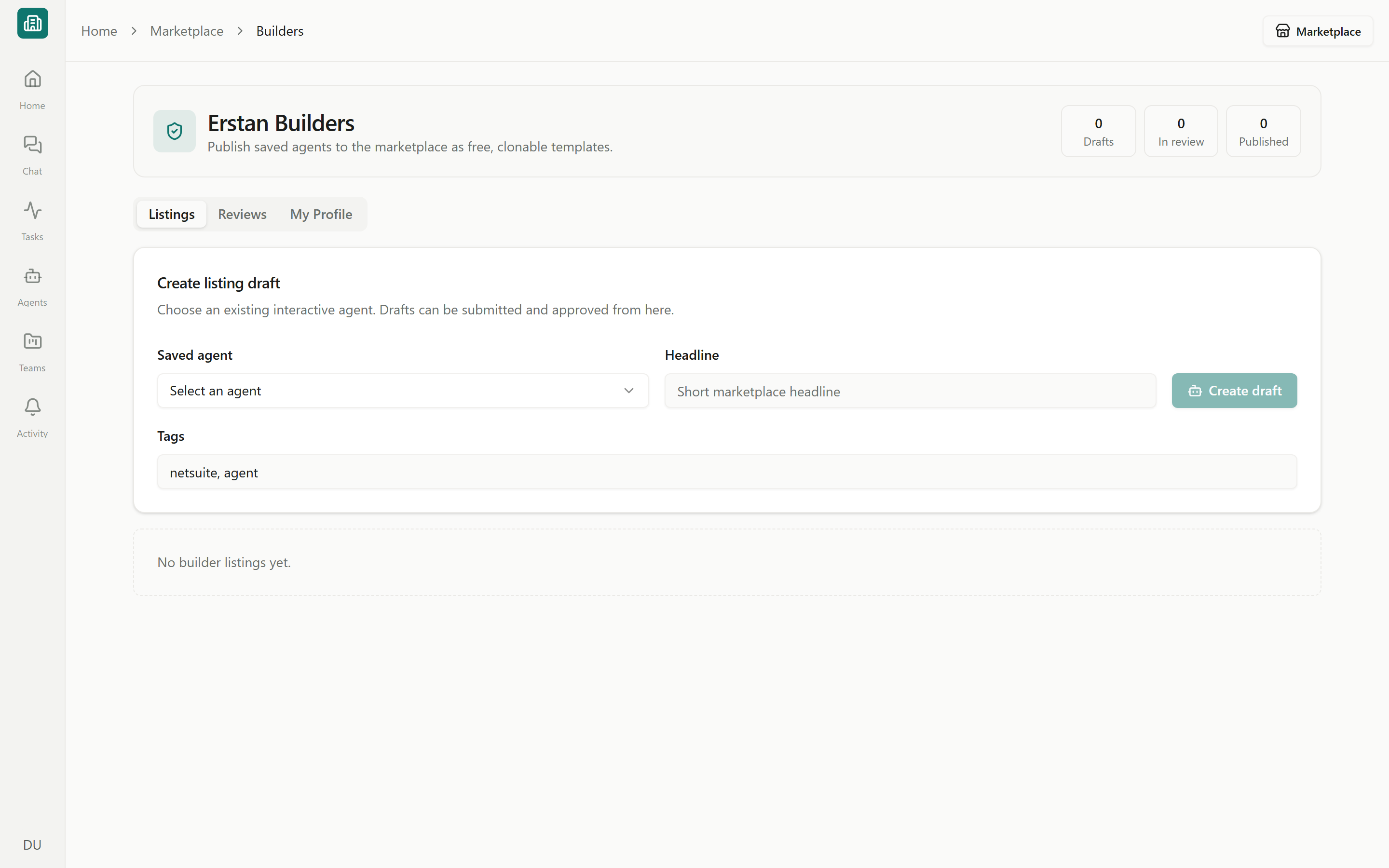
Erstan Builders (admin)
Erstan Builders requires workspace admin access and must be enabled for the workspace. It is an authoring and review tool, not a public builder or partner directory. Non-admins who open it are shown the required access.
Open Erstan Builders
Open Erstan Builders from the enabled admin authoring controls. The page shows counts for Drafts, In review, and Published listings, with Listings, Reviews, and My Profile tabs.Create and submit a listing
1
Pick a saved Agent
In Listings, choose an eligible saved conversational Agent or workforce. Automations that are not supported by the publishing workflow are omitted from the picker.
2
Describe the outcome
Add a concise headline and relevant tags that help people find the Agent by task or business category.
3
Create the draft
Select Create draft. The listing remains private while its status is Draft.
4
Submit for review
Submit a draft or rejected listing. Its status changes to In review until a reviewer approves or rejects it.
Listing statuses
Use View to open a published listing and Archive to retire one you no longer want available.
Review submitted listings
Reviewers use the Reviews tab to inspect listings with an In review status.1
Inspect the listing
Confirm its outcome, attribution, capabilities, access, and safety description are accurate.
2
Approve or reject
Approve publishes the listing. Reject returns it to the Builder for revision and resubmission.
Builder identity and attribution
The My Profile tab sets the truthful builder identity shown on published listings. Complete the supported profile fields and select Save profile. The Solution Library is intentionally Erstan-led: official content is labeled Built by Erstan and Erstan is featured as the primary builder. If community publishing is enabled, an approved listing keeps the builder name from its reviewed profile and displays a non-clicking Built by <name> byline. The storefront does not create a partner directory entry.Next steps
Solution Library overview
Browse the combined Agent and Team catalog.
Adding Agents
See how people review and add a published Agent.
Preview, publish & versions
Prepare an Agent before creating a listing.
Security & write safety
Understand approvals and per-user authorization.