

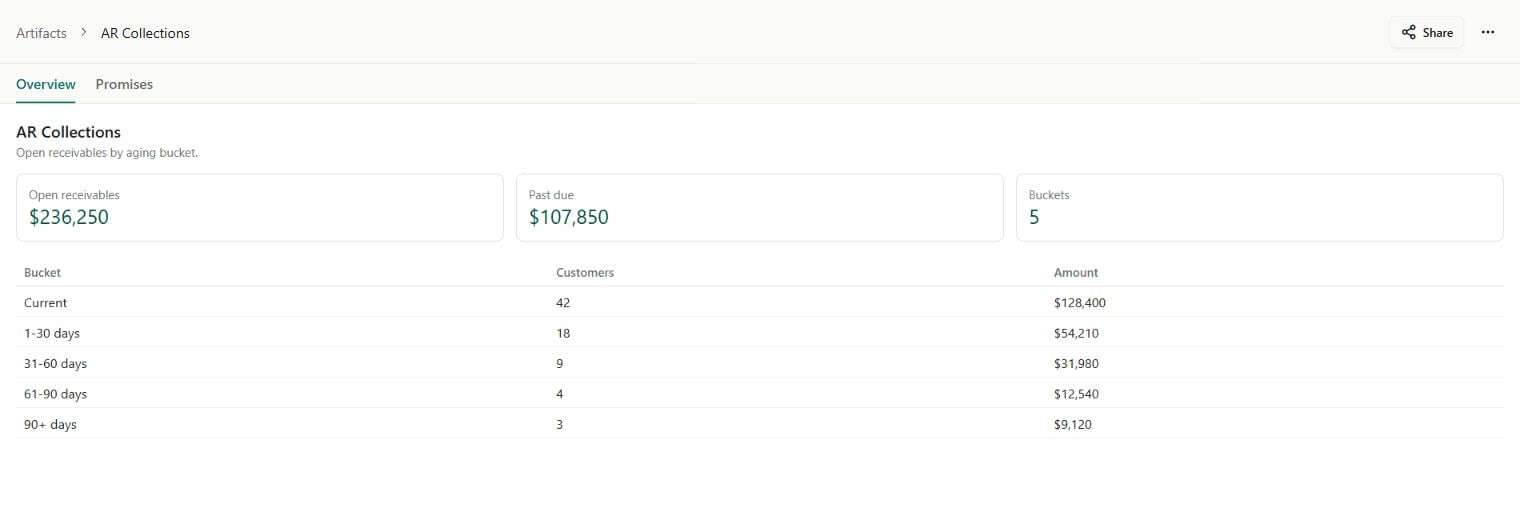
An App with an overview and a second page. Sample data shown.
Find and open an App
Open Artifacts and filter Type → App. Apps you create, install from a template, or receive through sharing appear here when you have access. You can also open an App from its folder in Content, a chat reference, or a pinned link. The card shows whether the App is a Draft, has a published version, or has Unpublished changes. Opening a published App uses its published version. Editors can open an unpublished App as a draft; people with Can use access need a published version.Gallery previews are saved stills. They do not run App code or refresh connected data. An App that has not been opened may show Open App to save a preview.
Work in an App
- Use the App’s controls and page tabs to explore its data and do the job it was built for.
- Open contextual chat to ask about the current App. Its work conversation is separate from the editing conversation.
- Use App actions → Open fullscreen for a published App with more room, or Pin to keep it close.
- Use App activity to investigate a failed data read or action. Reconnect a required service if the App asks you to.
Build your own
Start from Content → New → App, ask an Agent to build an App, or choose an App template in Library. Describe the outcome, connect the data it needs, review the draft, and publish it for others to use.Create and edit an App
Work with App chat, preview the draft, and inspect its Code and Data.
Connect App data
Choose reusable reads, App resources, and actions.
Publish and share
Release changes, manage access, and share eligible public snapshots.
Artifacts
Find Apps alongside Documents, Sheets, Databases, and Files.